Follow a real review — from start to finding.
Instead of a long video: scroll through the review of CERN's DI/OT Zynq UltraScale+ System Board, step by step — start the review, read the findings on the board, ask the design, graphics and board-to-board connections.
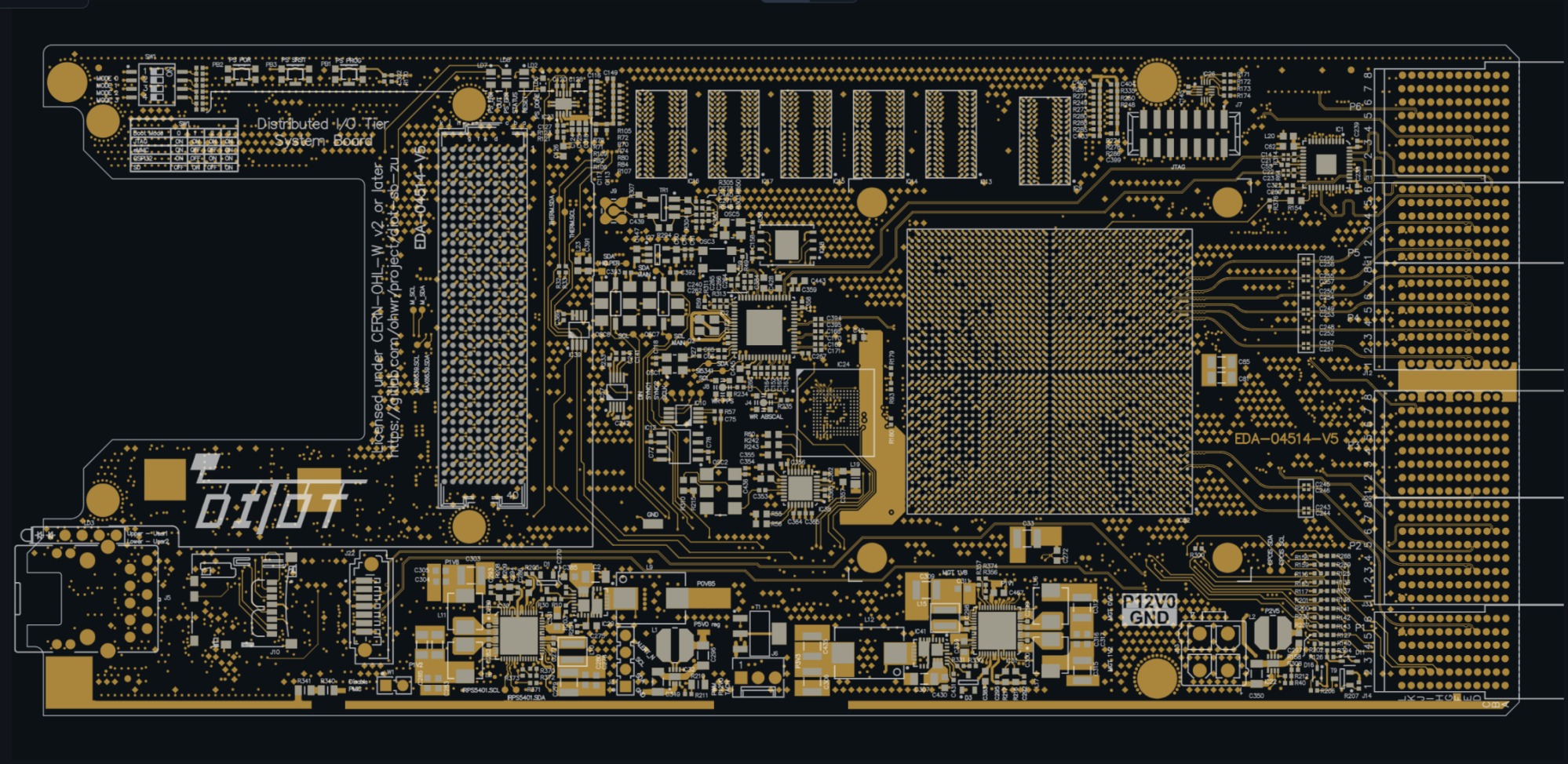
Load ODB++ and run the review
The review is started against the board's own data. Probe reads the layer stack, the nets and the components — and the review runs with AI against this specific design.
Every finding pointed out on the board — with the evidence behind it
The same review, visually: click a point and the finding is pointed out and the chain of evidence expands — net, layer, component and the source the claim rests on.
- 1 Supply and ground pin on the same netGND · IC30.22 ↔ IC48.3
- 2 Reset released on P3V3 aloneIC27 · PS_POR_B
- 3 USB-JTAG overrides the reset supervisorIC4 · PS_SRST_B
- 4 Crosstalk follows out onto the connectorETH_RX_CTL → SLOT2.LVDS_2_N
- 5 I²C mux obsolete — none left to buyIC6 · PCA9548APW
- 6 Inductor outside the datasheet LC tableIC22 · TPS62125
Supply and ground pin share the GND net
The net GND ties together a supply pin (IC30.22) and a ground pin (IC48.3) — a direct short. Neither ERC nor DRC reacts, because both pins are allowed to be called GND.
Ask the design — get a cited answer
During bring-up and review you rarely need the whole schematic — you need an answer. Click a question and it runs in the terminal; Probe answers grounded in the netlist, datasheets and BOM, and is honest about what isn't verified.
Real answers. The questions below are run against a real board in Probe and shown verbatim — not invented examples.
↑ Click another question for more answers
This is what it looks like in the terminal when Claude calls Probe via MCP and answers — a real run, not a film.
Views from the design data — not just a list of findings
Probe builds views that make the board quick to understand and to reason about a finding — here the whole power tree, built straight from the design data.
Power tree
The supply hierarchy — source, regulators, supply by supply. Sequencing and enable chains are visible at a glance.
Net highlighting
Select a net and see it pointed out across the layers — from driver to receiver, on the copper.
Layers & geometry
Layer stack and geometry from ODB++ — in 2D and 3D, whatever the ECAD.

Power tree from the review: 12 V in, 48 rails — coloured by voltage. Drag and zoom to follow a branch.
Review the connection between boards — not just each board on its own
Many faults sit in the interface between boards: wrong pin to wrong pin across a connector, a flipped connector, a missing return across a mezzanine interface.
Trace all the way
Follow a signal from the driver on one board, through the connector, to the receiver on the next.
Pin mapping vs copper
Probe compares the pin mapping against the copper on both sides and asks for the orientation when it can't be derived.
Stacks & mezzanine
For board stacks, carrier boards and FMC/mezzanine interfaces where the signal changes board.
Want to see it on your own design?
Book a demo and we'll walk through a review together, or run one in the evaluation environment.