
Describe the intent
In plain language, tell your AI assistant what to measure and the limits — e.g. “HDMI output between 4.9 V and 5.1 V.” No sequence editor, no boilerplate.
Describe what to test in plain language and your own AI assistant generates a working, version-controlled test in minutes — often with zero hand-written code. Maestro is a modern, cross-platform alternative to NI TestStand and LabVIEW, on Linux, macOS and Windows.
Maestro launches later in 2026. Register now and we’ll tell you the moment you can get it — no obligation.
Request early access







NI TestStand and LabVIEW are capable tools — but they were built before AI wrote code, before teams lived in Git, and before infrastructure ran anywhere. That shows up on the bench every day:
Maestro was designed for the way engineers actually work now.

In plain language, tell your AI assistant what to measure and the limits — e.g. “HDMI output between 4.9 V and 5.1 V.” No sequence editor, no boilerplate.

Your AI coding assistant — Copilot in VS Code, say — writes it directly as open, readable YAML. Often with zero hand-written code.

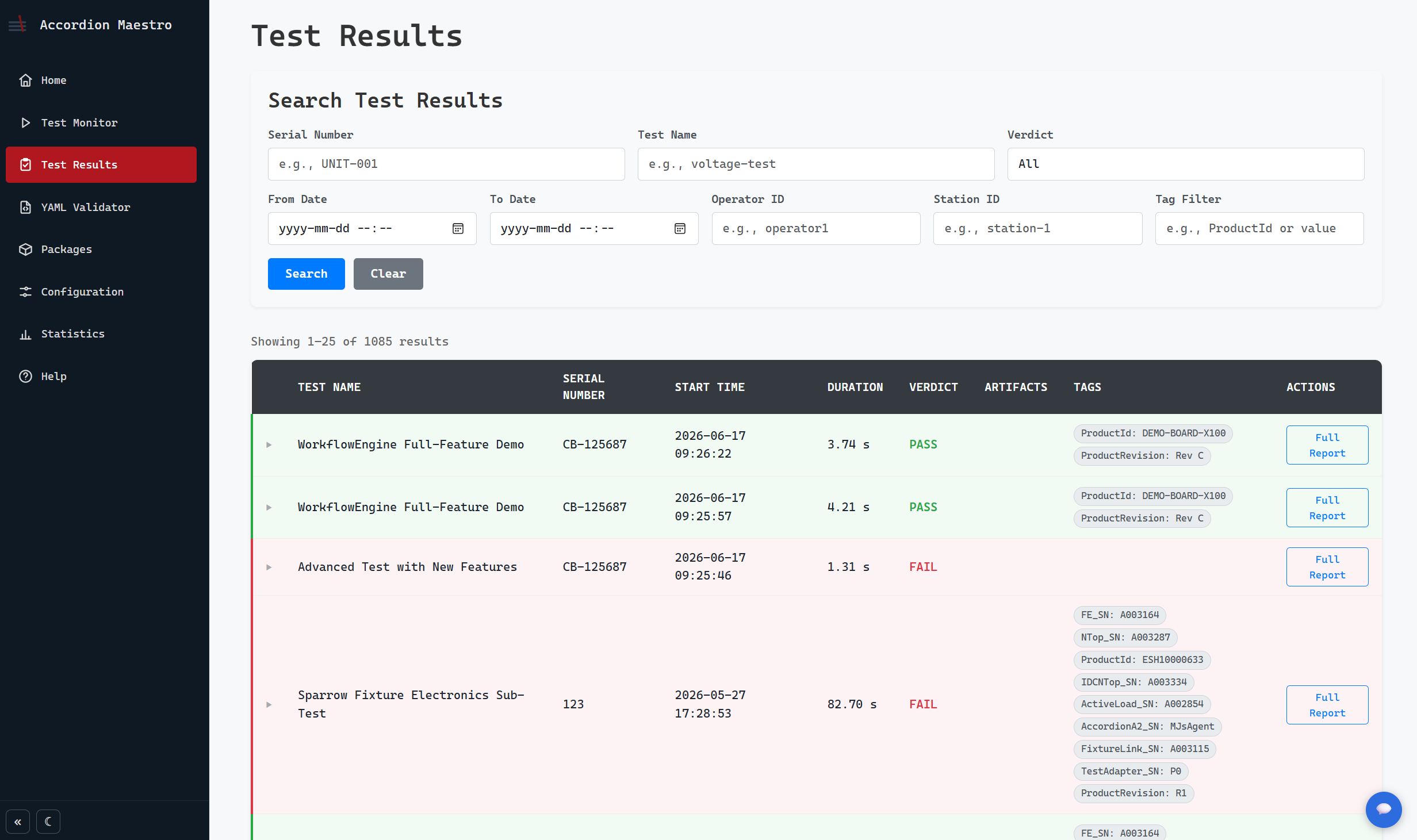
Review the diff, approve, and run on any station from the browser. Every measurement is stored as queryable data, tied to the exact test version.
Describe what to test in plain language and your own AI assistant drafts the test as readable YAML in Git. Review the diff, approve, and you’re ready to run.
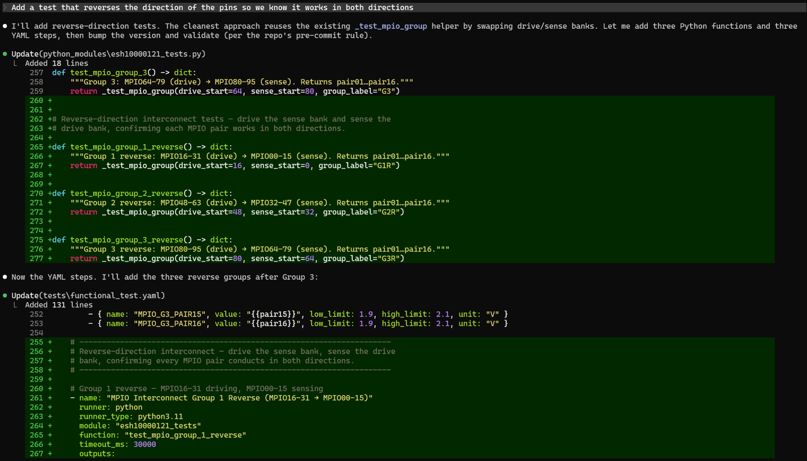
Operators launch and monitor tests on any station from a browser — no Windows client to install, no per-seat lock-in. Live status and pass/fail as each unit runs.
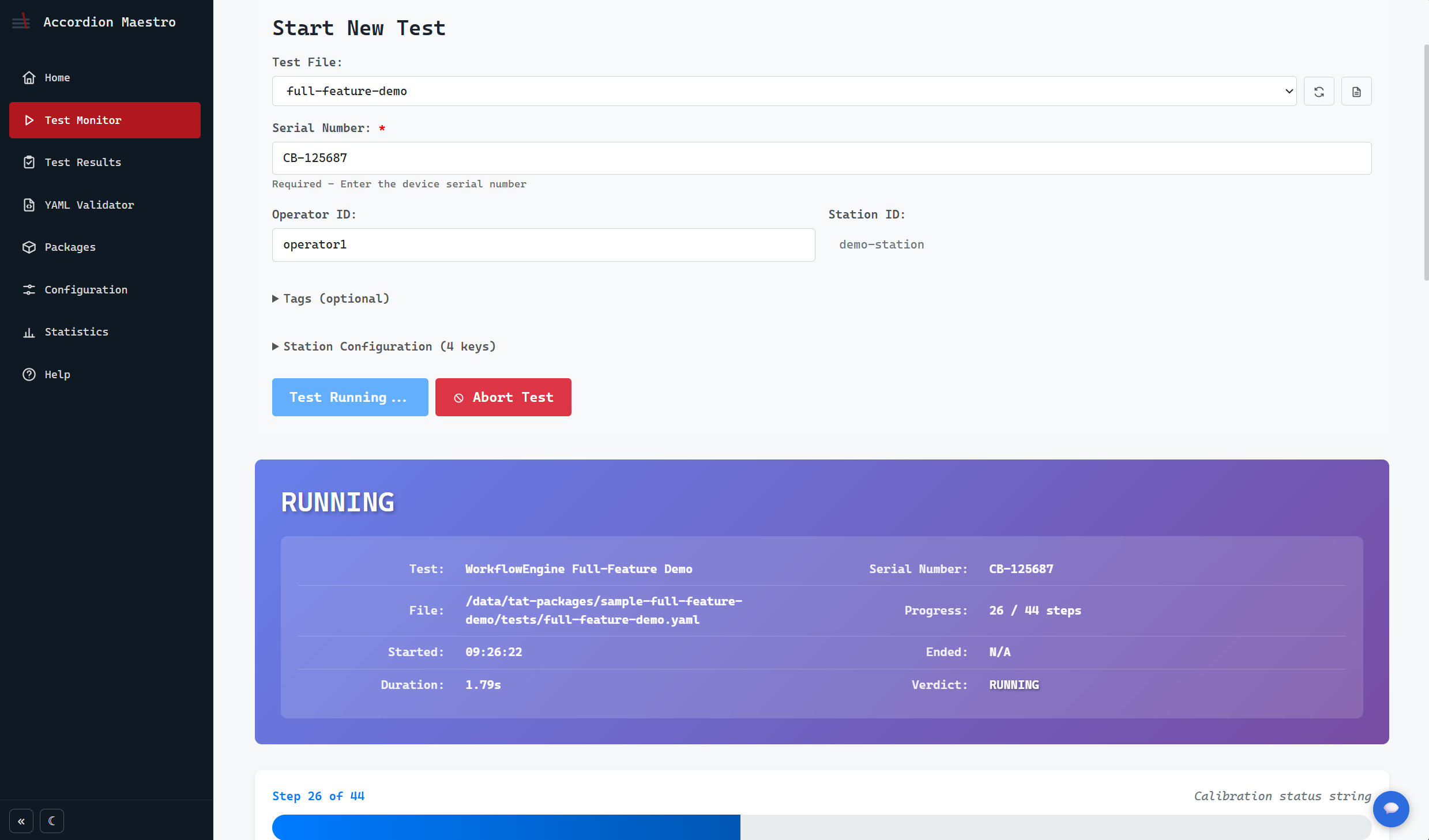
Every measurement is written as a structured row in PostgreSQL, not buried in a per-unit log file — so results, Cpk, yield and a live fleet monitor are all queryable in SQL.
Where TestStand writes each run to a report or log file you have to parse after the fact, Maestro writes every measurement as a structured row in a PostgreSQL database the moment it’s taken — with its limits, verdict and the exact test version attached. Process capability, yield and 3-sigma analytics live in SQL, not in a folder of logs, so out-of-spec and marginal measurements surface before they cost you.
Production dashboard — live station status, yield trends and failure Pareto across the line.
Test results — every report searchable by serial number or test name.
Process capability — Cpk, yield and 3-sigma analytics, queryable.
Fleet monitor — a real-time view of every station’s state and recent runs.
Traceability, built in. Every result carries its serial number, the exact test version, the limits applied and the verdict — so you can trace any measurement back to precisely how and when it was produced, and forward across every unit that shares it. That same structure is what makes the data AI-ready: an assistant can query it, spot drift across units, correlate failures and explain a result, because each row has meaning rather than being text to parse.
Authoring: AI-first and intent-based — readable YAML in Git
Platform: Linux, macOS & Windows (Docker + browser UI)
Results: queryable data — Cpk, yield and trends in SQL
Data model: every measurement a structured row in PostgreSQL, with limits and test version attached
Your data: self-hosted — you own and run it
Authoring: GUI sequence editor — binary, AI-opaque files
Platform: Windows-centric
Results: log files and manual parsing
Data model: results written to per-unit report / log files
Your data: varies, often tied to vendor tooling
Maestro launches later in 2026. Register your interest and you’ll be the first to know the moment it’s available to get.

A licensing model TestStand users recognise — annual developer and runtime licenses, self-hosted, with your tests in open formats that stay yours. View the full pricing model.

Yes. Maestro is a modern, AI-first test-automation platform for teams moving beyond NI TestStand and LabVIEW. Test definitions are readable YAML in Git rather than binary sequence files, results are queryable data, and the operator UI runs in any browser on Linux, macOS or Windows.
Often not. You describe the test in plain language and your own AI assistant drafts a working test for you to review and run. Many tests are created with zero hand-written code — and you approve everything.
You state your intent — what to measure and the limits — and your own AI assistant turns it into an executable, version-controlled test in minutes, instead of you hand-building it in a sequence editor.
Cross-platform. The stack runs in Docker on Linux, macOS and Windows, and the operator interface is browser-based — no Windows or proprietary-hardware lock-in.
You do. Maestro is self-hosted: you run the hosting and the PostgreSQL database yourself. E-Sharp measures no usage and holds none of your data.
No. Test definitions are stored as readable YAML in your own Git repository. The format is open and stays yours; only the engine that runs them is licensed.
Drivers for E-Sharp’s Accordion test hardware are available. For broader instrument support, talk to us about your setup — get in touch via the early-access form.
Maestro is pre-launch. Registering means we contact you directly the moment Maestro is available to acquire, with no obligation in the meantime.